


Everything You Need to Know About Invoice Matching
Even though paying invoices is one of the more straightforward accounting processes, serious mistakes can still easily occur. Perhaps a supplier charged for 500 units when 400 were delivered, or a price on an invoice doesn't match what was quoted on the purchase order. In cases of errors, payments might process before anyone catches the discrepancy, often leading to a very difficult recovery process.
Invoice matching is the accounts payable control that prevents this. It verifies an invoice against supporting documents, including purchase orders, receiving records, and inspection reports, before payment is approved. This matters most in environments with high transaction volume, recurring vendors, or limited margin for error. A 2024 study by Medius found that 44% of businesses have been targeted by invoice fraud, which matching processes are intended to catch.
Rather than restating the basics, this guide focuses on the finer details involved in invoice matching, including the main approaches, how workflows are structured, and where errors tend to occur. It also examines how platforms like Slash fit into these workflows. Within Slash, teams can create invoices using stored counterparty and banking details, track invoice status in a centralized dashboard, and send automated payment reminders. The platform supports collecting payments across multiple methods, including ACH, wire, card, and cryptocurrency, and integrates with accounting systems to keep records in sync.¹, ⁴
The standard in finance
Slash goes above with better controls, better rewards, and better support for your business.

What Is Invoice Matching?
Invoice matching, also called purchase order matching, is the verification process that compares an incoming vendor invoice against one or more supporting documents to confirm that what's being billed matches what was ordered, received, and agreed upon. It sits at the center of the procure-to-pay (P2P) cycle, acting as the final checkpoint before money leaves the business.
The documents involved can vary depending on the matching type, but the core logic is consistent: the invoice should reflect reality. The price should match what was negotiated, the quantity should match what arrived, and the goods or services should meet the quality standards the contract specified. When all three conditions are met, the invoice is approved for payment. When they don't align, the discrepancy triggers a hold and investigation before payment proceeds.
Invoice matching isn't just about catching fraud, though it does do that. It's equally important for catching honest errors: supplier billing mistakes, system glitches that generate duplicate invoices, miscommunication between a vendor's sales team and their billing department, or delivery shortfalls that the receiving team noted but AP didn't know about. These errors are common, and they're expensive when they accumulate.
Types of Invoice Matching
Organizations use different levels of invoice matching depending on transaction complexity, industry requirements, and risk tolerance. The three primary types build on each other, adding verification layers as the stakes of a given purchase category increase. These types include:
Two-Way Matching
Two-way matching compares the vendor invoice against the purchase order (PO) only. It verifies that the price, quantity, and payment terms on the invoice align with what the PO specifies. If the numbers match within an acceptable tolerance, the invoice is approved for payment.
Two-way matching is appropriate for straightforward purchases where delivery confirmation isn't the primary concern: software subscriptions, fixed-fee service contracts, digital products, or any situation where the vendor's performance is verified through a mechanism other than a physical receiving document. It's the fastest matching method and creates the least administrative friction, which makes it well-suited for high-volume, low-risk categories.
The trade-off is control. Two-way matching doesn't confirm that goods were actually received, only that the billing terms look correct. For physical goods categories where short-shipments or substitutions are a risk, two-way matching is insufficient.
Three-Way Matching
Three-way matching adds a goods receipt note (GRN) to the comparison, which is the receiving team's record that the goods arrived and in what quantity. The process verifies alignment across three documents: the purchase order, the vendor invoice, and the receiving record.
This is the most widely used matching standard for physical goods procurement, as it closes the gap that two-way matching leaves open. Manufacturing companies, distributors, retailers, and any business managing physical inventory typically use three-way matching as their baseline. It’s particularly valuable for preventing overpayment on partial deliveries, where a vendor invoices for the full order but only ships part of it, expecting the rest to follow. Without a receiving record in the matching process, that invoice might clear at full value.
Four-Way Matching
Four-way matching incorporates a quality inspection report alongside the PO, invoice, and receiving record. The goods must arrive in the right quantity and then pass a formal quality review before payment is authorized.
This level of rigor is most common in regulated industries where quality compliance is non-negotiable: pharmaceuticals, aerospace and defense, medical devices, and food production. When a raw material or component carries a quality certification requirement, four-way matching ensures the payment is contingent on that certification being met, not just delivery of the physical goods.
The additional documentation requirements make four-way matching slower and more resource-intensive, which is why it's typically reserved for high-value or compliance-critical purchases rather than applied universally.
How Invoice Matching Works: Step by Step
Step 1: Purchase Order Creation
Invoice matching begins before the invoice arrives. When a department needs goods or services, a purchase requisition is submitted and approved through the organization's procurement process. Once approved, a formal purchase order is generated that documents the vendor, item description, quantity, agreed price, and payment terms. This PO is the contract that the invoice will eventually be matched against.
Good matching outcomes depend on clean POs. A PO with vague descriptions, missing unit prices, or unapproved quantities can create ambiguity that makes matching harder and error resolution more time-consuming down the road.
Step 2: Goods or Services Receipt
When the vendor fulfills the order, the receiving team logs what actually arrived: quantities counted, items inspected (if applicable), and any discrepancies from the PO noted. For four-way matching, quality inspection results are documented separately. This receiving record is the real-world anchor for the matching process, marking what the business actually got, as opposed to what was ordered or what was billed.
Accuracy at this step is critical. A receiving record that doesn't accurately reflect what arrived either allows overpayment (if quantities are overstated) or creates unnecessary invoice holds (if quantities are understated).
Step 3: Invoice Entry
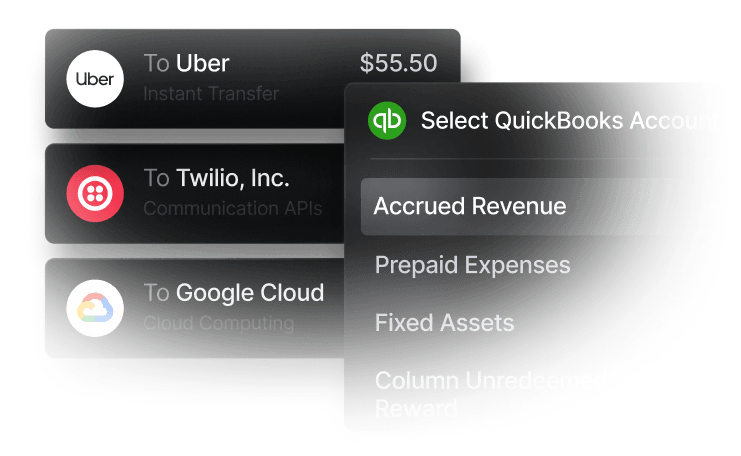
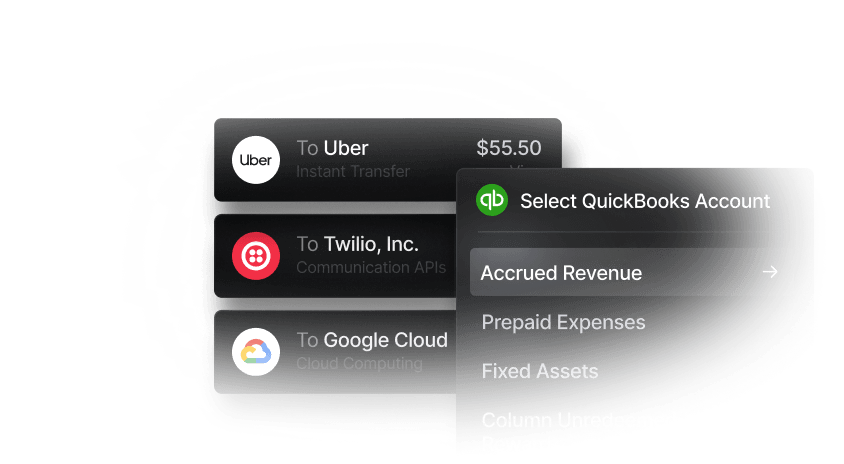
When the vendor's invoice arrives, whether via email, postal mail, or a vendor portal, it's entered into the AP system. Most modern systems, including Slash, use optical character recognition (OCR) to extract invoice data automatically from scanned documents or PDFs, reducing manual keying errors and accelerating processing time. Slash goes a step further by auto-categorizing each invoice/bill and syncing bidirectionally to QuickBooks, Xero, or Sage Intacct.
Step 4: Automated Matching
The AP system compares the invoice data against the linked PO and receiving record, field by field: vendor name, PO number, line items, quantities, unit prices, and total amount. Most systems apply tolerance thresholds to accommodate minor rounding differences, shipping cost variations, or small unit price fluctuations without holding every invoice for manual review. For example, a 2% price variance may be allowed before a discrepancy is flagged.
If all fields match within tolerance, the invoice is automatically approved for payment processing. If any field falls outside that range, the invoice is routed to an exception queue for human review.
Step 5: Exception Handling and Resolution
Exceptions are the point where matching transitions from automated to manual. An AP team member reviews the discrepancy, contacts the vendor or the internal team that originated the purchase, and determines the correct resolution. They may approve the invoice as submitted, request a credit memo or revised invoice, or escalate to procurement or management for a decision.
Fast, clean exception resolution depends on clear escalation paths and good communication between AP, procurement, and receiving teams. Organizations that don't have defined exception workflows often see invoices sit unresolved for weeks, leading to late payment risk and straining vendor relationships.
Step 6: Payment Authorization and Processing
Once matched and approved, the invoice moves to the payment queue. Payment terms determine when the actual disbursement occurs, often net-30 or net-60. Approved invoices that have cleared matching are ready for payment on schedule, while exceptions that remain unresolved stay out of the payment queue until addressed.
Benefits of Invoice Matching
Let’s take a deeper look at why invoice matching is so important:
- Fraud and error prevention: Duplicate invoices, inflated quantities, price discrepancies, and billing for undelivered goods can all be caught early by a matching process that's working correctly. Recovering overpayments after the fact is far more costly and uncertain than preventing them upfront.
- Accurate financial records. Invoice matching ensures that AP records reflect what the business actually ordered and received, not just what vendors billed. This produces a more accurate picture of vendor performance, inventory receipt, and cash flow obligations — all of which matter for financial reporting and management decision-making. An AP ledger built on matched and verified invoices is substantially more reliable as a planning tool than one that simply records what arrived in the inbox.
- Stronger vendor relationships: Counterintuitively, rigorous invoice matching tends to improve supplier relationships rather than strain them. Vendors appreciate working with customers whose AP processes are well-organized, since discrepancies are raised quickly with specific documentation and correct invoices are paid on time.
- Early payment discount capture: Many vendors offer early payment discounts that represent real savings on high-value invoices. These discounts are often 2/10 net 30, which is a 2% discount for payment that comes within 10 days rather than 30. A matching process that clears invoices quickly allows the AP team to identify discount-eligible invoices and prioritize them for early payment. Manual or slow matching processes frequently forfeit these discounts because invoices don't clear in time.
- Audit and compliance readiness: A documented matching workflow with approval trails, exception logs, and attached supporting documents is the foundation of an auditable AP process. Whether for an external audit, internal controls review, or tax authority inquiry, it’s important to demonstrate what was verified before each payment was made and by whom. Businesses without a matching process may struggle to reconstruct payment justifications retroactively, which creates both audit risk and operational burden.
Common Failure Points and How to Avoid Them
Since proper invoice matching is a six step process, there are a few places mistakes commonly arise:
- Poorly constructed purchase orders: Matching can only be as accurate as the documents it's comparing. POs that lack item-level detail, use vague descriptions, or don't specify unit prices create ambiguity that makes matching either impossible or unreliable.
- Receiving records that don't match reality: When the team receiving goods logs quantities inaccurately, the matching process can produce false positives or false negatives. Receiving accuracy is a prerequisite for matching accuracy.
- Tolerance thresholds set too wide: Matching tolerances exist to reduce unnecessary exceptions, but the control can become ineffective when they’re set too wide. For instance, a 10% price tolerance on a $100,000 component purchase allows a $10,000 discrepancy to pass automatically. Tolerance settings should be calibrated to the risk profile of each purchase category.
- No defined exception escalation path: Exceptions that sit unresolved because there's no clear owner or process will hurt the effectiveness of the entire matching program. Every exception should have a defined resolution workflow with time limits and escalation triggers.
Manual vs. Automated Invoice Matching
Manually pulling POs, receiving records, and invoices and comparing them by hand may be feasible at low transaction volumes, but it becomes nearly impossible as a business scales. When you reach several hundred invoices a month, the labor cost and error rate make automation a lifesaver. According to research from the Institute of Finance and Management, manual processing costs $13–$16 per invoice. Automated processing can bring that cost below $3.
Modern AP automation tools like Slash handle invoice capture via OCR, automatic field extraction and comparison, tolerance-based routing, exception flagging, and payment queue management. They reduce processing time from days to hours or minutes for invoices that match cleanly, and they free AP staff to focus on exceptions and vendor management rather than data entry and manual comparison. The software also produces searchable, timestamped audit trails automatically without any additional documentation effort from the AP team.
The most significant productivity shift from automation isn't the time saved on clean invoices — it's the speed and structure it brings to exception handling. In a manual environment, exceptions tend to pile up because the same people processing routine invoices are also responsible for chasing down discrepancies. Automation handles the routine work, leaving AP staff with dedicated capacity to resolve exceptions quickly and prevent the aging queues that create late payment risk.
For businesses evaluating the threshold at which automation becomes worth the investment: it's usually earlier than finance teams expect. The ongoing cost of AP staff time on manual matching, combined with the cost of errors and late payments that a manual process generates, typically exceeds the cost of an automation solution well before a business feels "large enough" to justify it.
Reduce Accounts Payable Friction with Slash
Slash centralizes business banking, corporate card spend, and expense management in one platform with continuous sync to QuickBooks Online, Sage Intacct, and Xero. For businesses managing vendor payments alongside card-based purchasing, the visibility into all spend categories reduces the reconciliation work that creates bottlenecks in AP workflows. Our platform brings purchasing activity, payment authorizations, and accounting records into the same system, then organizes and categorizes them in real time.
This process gets even easier with Twin, Slash’s agentic AI assistant. With simple English prompts, Twin can read invoices, extract data, match the information against source-of-truth records in your database, route and resolve exceptions, then post journal entries to your ERP. With Twin, straightforward tasks can be automated, and anything more complex can be surfaced for human intervention.
Other Slash features that can help busy finance teams include:
- Slash Visa® Platinum Card: The Slash Card allows you to set customizable spending controls and issue unlimited virtual cards for handling team expenses, vendor payments, subscriptions, and more. Users can also earn up to 2% cash back on business purchases.
- High-yield treasury: Earn up to 3.80% annualized yield on idle funds with money market investments from BlackRock and Morgan Stanley, managed directly within your Slash account.⁶
- Native cryptocurrency support: Send and receive USD-pegged stablecoins USDC and USDT across eight supported blockchains for faster, lower-cost global payments.
- Diverse payment methods: Slash supports a wide range of payments, including card spend, global ACH, international wire transfers to over 180 countries via SWIFT, and real-time domestic payments through RTP and FedNow.
For teams looking to streamline their AP and tighten their payment controls, Slash has the answers. Reach out today to see how we can help.
Apply in less than 10 minutes today
Join the 5,000+ businesses already using Slash.
FAQs
What’s the difference between an invoice and a bill?
An invoice is a detailed document sent by a seller to a buyer requesting payment for goods or services, often with flexible payment terms. A bill is a simpler request for immediate payment upon receipt. In essence, a seller sends an invoice, which the buyer records as a bill to pay.
How to Make an Invoice: A Guide to Creating Professional Invoices Quickly and Easily

What’s the most common method of invoice matching?
The most common and recommended method of invoice matching for most organizations is 3-way matching, as it documents important details without taking as long as the 4-way matching process that more regulated industries call for.
What does OCR stand for?
OCR stands for Optical Character Recognition (or Optical Character Reader). It is technology that converts images of text (such as scanned documents, PDFs, or photos) into machine-readable, editable, and searchable digital text.
Automated Invoice Scanning: How It Works in Accounts Payable


